
MODALIZER+ V7 User Manual
Healthcare Imaging Workflow Wizard – complete documentation
MODALIZER+ is a powerful, easy-to-use, all-purpose healthcare imaging workflow tool for point-of-care imaging and reporting – built to capture, scan, and display images, video, and documents in a PACS environment. It gives healthcare personnel a complete way to document patient encounters, attach media to the patient record in the PACS, and handle every related task in between.
MODALIZER+ combines an Imaging Modality, a reporting tool, a DICOM Viewer, a DICOM Converter, and a PACS import tool in one application. Among other things, MODALIZER+ can:
- Capture, scan and convert images from image files, USB cameras, paper and film scanners, and other TWAIN and UVC imaging devices – HEVC, MPEG, PDF, JPG, PNG, TIFF, JPEG 2000 (J2K) and Bitmap.
- Fill fully customizable, auto-complete PDF report templates.
- Edit DICOM Q/A data at the Study, Series, or single Instance level.
- Integrate with a PACS to store, search, retrieve and display images and reports.
- Use DICOM Modality Worklist and Modality Performed Procedure Step for workflow integration – pulling patient/procedure parameters, reporting progress, and reducing typos and QA effort.
- Act as a multi-modality image display and PACS workstation – connect, search, retrieve and store images and documents; burn CD/DVD/USB media with an integrated DICOM CD Viewer.
- Manage your own medical image archive with the built-in Local Archive database.
- Run a built-in DICOM Listener.
- Customize DICOM instance structure and content, and capture images via a configurable “Capture Key” – keyboard, pedal, or dedicated hardware button.
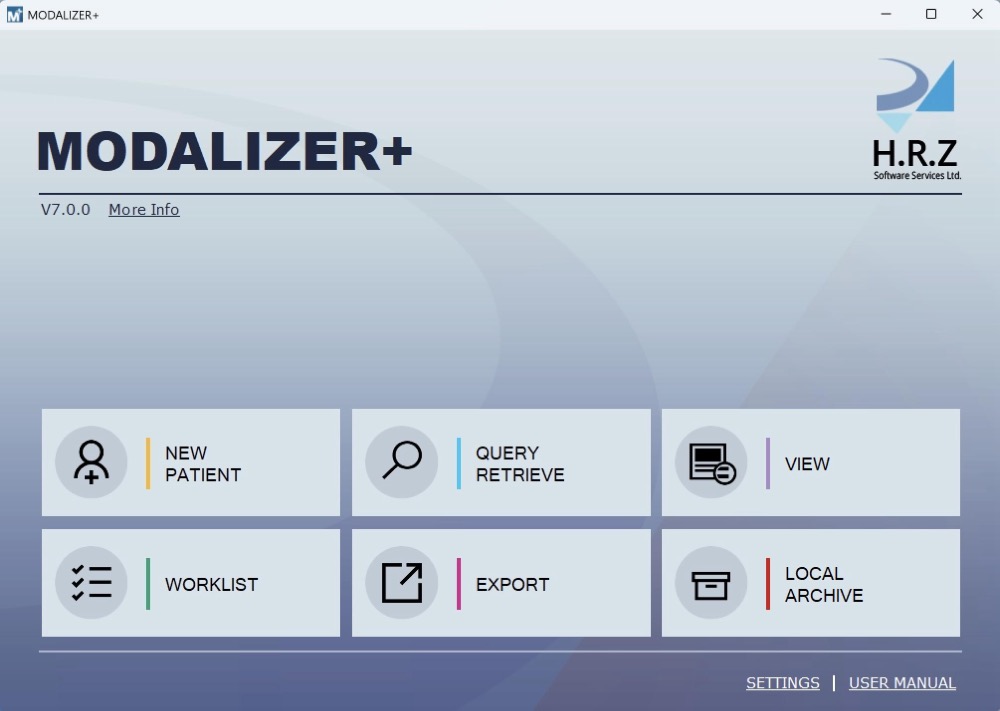
System Requirements
| Computer | Microsoft Windows compatible laptop, desktop, tablet, or virtual machine |
| Display resolution | Minimum 1024×768 pixels |
| Operating system | Microsoft Windows 10 or 11 |
| .NET Framework | 4.8, plus .NET Core 3.1 for the Video Capture Application |
| Processor | All Windows-supported architectures (Intel, Arm); minimum recommended 1GHz |
| Memory | Recommended minimum 1GB |
| Storage | Recommended minimum 40GB of hard disk/SSD |
| Network | Secure DICOM Networking (TLS 1.2) over TCP/IP |
| USB | Optional, for external imaging hardware via TWAIN/WIA (endoscopes, webcams, etc.) |
For scanner integration, use the scanner vendor’s TWAIN driver utility to configure scanning profile parameters.
Why Convert to DICOM?
Digital Imaging and Communications in Medicine (DICOM) is the standard for handling, storing, printing, and transmitting medical images – the most widely deployed healthcare imaging standard in the world. DICOM images can be exchanged between any two systems capable of receiving image and patient data in DICOM format, enabling scanners, archives, workstations, printers, and network hardware from different manufacturers to work together in a Picture Archiving and Communication System (PACS).
Supported Image, Video and Document Types
MODALIZER+ converts PDF, JPEG, PNG, BMP, TIF, JPEG 2000, MPEG-2, MPEG-4 and HEVC files to DICOM. It can also combine a series of same-type, same-size images into a single Multi-Frame DICOM object.
Free DICOM Viewer and Personal DICOM Archive
MODALIZER+ includes a free DICOM Viewer and personal DICOM Local Archive (Mini PACS) at no cost. Click “Free Viewer”, or drag-and-drop a DICOM file or folder onto the application window, to open the viewer screen directly.
User Manual Chapters
Everything below is covered in detail, with screenshots, across the following chapters:
Quick Start Guide
New Patient wizard, capturing and scanning, writing a report, exporting to CD/DVD/USB, connecting to PACS/RIS, and the Local Archive.
The DICOM Viewer
Loading and split-screen viewing, Hounsfield unit presets, measurement tools, the 12-lead ECG viewer, CINE playback, and DICOM header view.
DICOM Editor
The built-in DICOM Q/A workstation: editing tags at the instance, series or study level, IHE IOCM compliance, and reviewing edits before they’re applied.
Working with Studies
The New Patient workflow, sending studies to PACS, Modality Worklist queries, Query/Retrieve search, and exporting/burning to CD/DVD.
Reporting
DICOM Structured Reports (SR) versus Formatted Report Templates, and the placeholder syntax that auto-fills case data.
Settings & Configuration
DICOM TLS security, the DICOM Listener, Local Archive, Storage and Worklist servers, Custom Actions, and DICOM attribute overrides.
How-To Guides
Viewing DICOM from CD/DVD, viewing a PDF from a DICOM Encapsulated PDF, multi-destination sending, and MPPS.
Troubleshooting & Command Line
Log file locations for diagnosing PACS/Worklist issues, plus the full command line parameter reference.
Related Reading
Start with the Quick Start Guide →
DICOM is the registered trademark of the National Electrical Manufacturers Association for its standards publications relating to digital communications of medical information.