
MODALIZER+ V7
Enterprise Grade Healthcare Imaging Workflow Wizard
MODALIZER+ is a professional-grade Virtual Modality and DICOM Converter that bridges the gap between non-DICOM clinical evidence and the Enterprise Imaging ecosystem (PACS/VNA). It captures, converts, and transmits medical images and video from varied sources, including paper scanners, webcams, endoscopes, image files, PDF, and video files, directly into the patient record with full DICOM compliance. By automating the wrapping of standard media into DICOM objects and using the DICOM Modality Worklist Service (MWL) for demographic integrity, MODALIZER+ eliminates manual entry errors and ensures correct filing of the data in the hospital's primary imaging architecture.
What's new in MODALIZER+ V7
Corporate edition with Active Directory integration and Volume Licensing
MODALIZER+ V7 Corporate edition is now offered for site and organization licensing. This edition is intended for organization wide deployments and integrates with Microsoft Active Directory (AD) for easy deployment, simple activation and user group permissions that allow the network administrator to enforce MODALIZER+ user and device permissions.
Updated User Interface
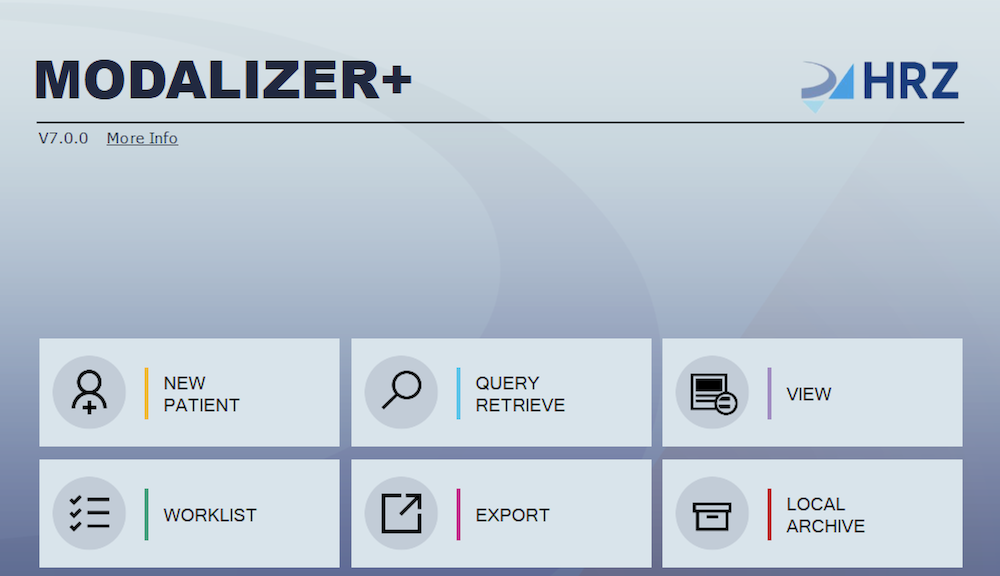
MODALIZER+ V7 features a new, improved and modern user interface. We've invested a lot in usability and bug fixes to streamline the user experience.
DICOM Q/A, Study and Series level Edits
MODALIZER+ V7 features DICOM Q/A capabilities with the enhanced DICOM Editor for Study Level and Series Level editing. Edit, add and delete DICOM Data Elements easily and apply the changes to the entire study, to the current series or to the single instance. The DICOM editor has a new review panel where you can review and modify your edits before applying them. Edits can be saved as new series or overwrite the originals.
DICOM Extended Character Set Support for Display and Conversion
MODALIZER+ V7 supports display and creation of DICOM instances with extended character sets and multiple character sets. MODALIZER+ identifies the default character set from tag (0008,0005) and the escape sequences for character set switching in text data elements. For a complete list of supported character sets please refer to the latest MODALIZER+ V7 DICOM Conformance Statement.
Non-DICOM Image Viewer
MODALIZER+ V7 can display not only DICOM files but also ‘regular’ image, video and PDF files. Simply drag and drop non-DICOM files on the desktop icon or on the application window to display them, to start the DICOM converter wizard or to add them to existing studies.
New Annotation Tools
New GSPS (Grayscale Softcopy Presentation States) annotation tools in the MODALIZER+ DICOM Viewer. All the annotation tools from the DICOM standard are now implemented.
Native Image, Video and Scanner acquisition application
MODALIZER+ V7 features native capture applications for UVC (Universal Video Class), TWAIN and WIA. These are alternatives to the now retired Dynamsoft .NET TWAIN that was used in previous versions for image and video capture and scanners. The native Windows Scanner and Camera capture applications are now always available. The 3rd party component is still available as it is functional though out of support.
HEVC Video conversion
MODALIZER+ V7 Video to DICOM converter supports all the video formats defined in the DICOM standard (Revision 2026a) including all HEVC video formats.
MODALIZER+ utilizes HRZ MODALIZER-SDK Video-to-DICOM capabilities and can create up to 4GB long DICOM video files (on x64 version; x86 version is limited to 2GB max). The conversion does not require large RAM to hold the entire video stream and can be done even on limited hardware with memory resources smaller than the video file size.
Technical Specifications
Supported Media Formats
| Media Type | Standard / Format | DICOM SOP Class |
|---|---|---|
| Video |
MPEG-2 Main Profile / Main Level MPEG-2 Main Profile / High Level MPEG-4 AVC/H.264 High Profile / Level 4.1 MPEG-4 AVC/H.264 BD-Compatible High Profile / Level 4.1 MPEG-4 AVC/H.264 High Profile / Level 4.2 (2D Video) MPEG-4 AVC/H.264 High Profile / Level 4.2 (3D Video) MPEG-4 AVC/H.264 Stereo High Profile / Level 4.2 HEVC/H.265 Main Profile / Level 5.1 HEVC/H.265 Main 10 Profile / Level 5.1 |
SC Image* |
| Image |
Bitmap JPEG JPEG 2000 (J2K) PNG TIFF |
|
| Document | DICOM Encapsulated PDF | |
| Unformatted Text | DICOM SR / DICOM Encapsulated PDF |
* The SOP Class definition and generated DICOM file content is configurable using the DICOM templates from settings.
DICOM Network Services
- Verification SCU/SCP
- Storage SCU/SCP
- Storage Commitment SCU
- Query/Retrieve SCU
- Modality Worklist SCU
- Modality Performed Procedure Step SCU
Hardware, OS and Drivers Requirements
- Computer: Microsoft Windows compatible laptop/desktop/tablet or virtual machine
- Operating systems: Microsoft Windows 11 (32 and 64 bits)
- .NET Framework: 4.8
- Processor: minimum recommended speed – 1GHz
- Internal memory: minimum 2GB
- Storage: recommended minimum 40GB of hard disk/SSD
- Network Protocol: Secure DICOM Networking (TLS 1.2) over TCP/IP
- USB: optional for external imaging hardware supporting WIA
- TWAIN/WIA: optional for paper scanner integration. Use the scanner vendor TWAIN driver utility to configure the scanning profile parameters. MODALIZER+ uses the default configured profile. Make sure your TWAIN driver platform matches the MODALIZER+ platform (32/64).
MODALIZER+ is also available on the Microsoft Store.
Product Documentation
DICOM is the registered trademark of the National Electrical Manufacturers Association for its standards publications relating to digital communications of medical information.