
How the Free Evaluation Works
Fully functional for 15 days – no credit card required
Every MODALIZER+ download runs immediately with the free feature set – nothing to activate, nothing to request. When you want to try the full Pro feature set, activate a 15-day evaluation license directly inside the application – just your name and email, no payment information required.
Getting Started
1. Download the installer or the portable version
From the Downloads page, choose whichever fits how you want to run MODALIZER+:
- Installer (32 or 64-bit): runs a standard Windows setup wizard and installs MODALIZER+ on your system.
- Microsoft Store: install MODALIZER+ V7 like any other app, with automatic updates handled for you.
- Portable (32 or 64-bit): no installation at all – unzip the downloaded file and run MODALIZERPLUS.EXE directly from the extracted folder. Useful if you want to try MODALIZER+ without installing anything, run it from a USB drive, or if you don't have admin rights on the machine – the portable build runs entirely in user mode and needs no elevated permissions.
2. Launch MODALIZER+
Whether you installed it or ran the portable version, just start MODALIZER+. With no license active, it runs immediately with the free feature set available – nothing to click, nothing to activate.
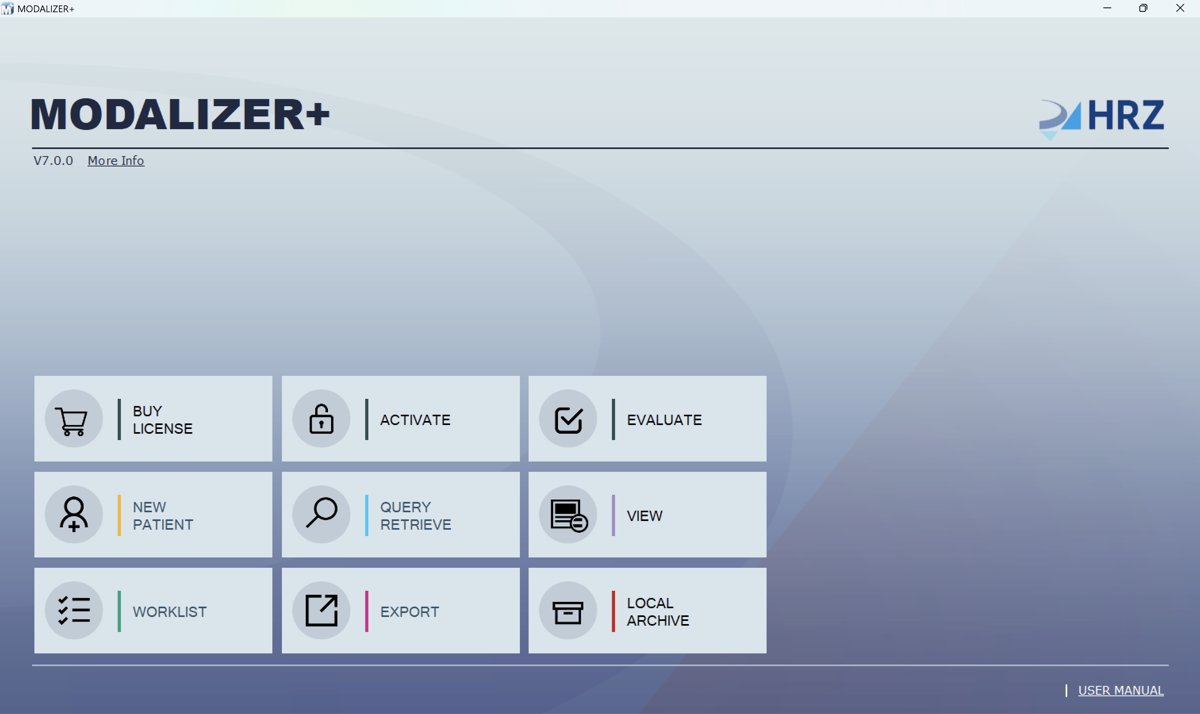
With no license active, View and Local Archive are already enabled – that's the free feature set. New Patient, Query Retrieve, Worklist, and Export stay disabled until you activate a license, either a purchased one or a free 15-day evaluation.
3. Click “Evaluate” to request your license
Want to try the full Pro feature set? On the license screen, click the Evaluate button and fill in your name and email. Your 15-day evaluation license key is then sent to that email address – check your inbox, and if it doesn't show up within a few minutes, check your junk/spam folder too.
4. Enter your license key to activate
Enter your license key and click Next to unlock the full Pro feature set for 15 days.
On some corporate networks, the activation service may be blocked by a firewall or proxy, which shows as an error at this step. If that happens, contact us and we'll issue your evaluation license directly.
5. You're fully evaluating MODALIZER+
Your evaluation license unlocks the complete feature set for 15 days: DICOM conversion, PACS/RIS integration, the DICOM Viewer, reporting, and everything else covered on the Why MODALIZER+ page. When you're ready, you can buy a subscription to continue using MODALIZER+ without interruption.
DICOM is the registered trademark of the National Electrical Manufacturers Association for its standards publications relating to digital communications of medical information.